
Cloudflare Domains: If you’ve searched for cloudflare domains, you’re probably trying to solve a practical problem: you want a domain registrar that doesn’t surprise you at renewal time, DNS that’s fast and easy to manage, and security controls that reduce the odds of waking up to a hijacked brand. You may also be trying to consolidate tools—registrar, DNS, SSL/TLS, WAF, and performance—into a single operational surface so teams stop juggling logins, invoices, and partial visibility.
The catch is that domains aren’t “just” a purchase. They’re an ongoing control plane. They gate your website, your email, your APIs, and your customer trust. That’s why Cloudflare’s approach—at-cost registrar pricing paired with Cloudflare authoritative DNS and security features—can be compelling when you understand the constraints and the setup patterns that actually work at scale.
Quick decision matrix (choose your best-fit path)
| Your goal | Recommended setup | Why it fits | Watch-outs |
|---|---|---|---|
| Buy/renew without markup | Cloudflare Registrar + Cloudflare DNS | At-cost pricing; integrated DNSSEC; WHOIS redaction | Must keep Cloudflare as authoritative DNS |
| Keep registrar elsewhere, still use Cloudflare | External registrar + Cloudflare DNS | You can use Cloudflare DNS and security without transferring registrar | You manage DS records at your registrar for DNSSEC |
| Portfolio governance for a brand | Cloudflare Registrar + enterprise protections | Out-of-band verification and registry lock options | Some advanced controls are plan-dependent |
| Agencies managing multiple clients | Cloudflare DNS + careful account boundaries | Delegated control, consistent DNS operations | Ownership and billing boundaries must be explicit |
What “Cloudflare Domains” Means in 2026
For most people, “Cloudflare Domains” is shorthand for Cloudflare Registrar plus the surrounding domain management workflow inside the Cloudflare dashboard: registering, transferring, renewing, and securing domains while using Cloudflare as the authoritative DNS provider. Cloudflare positions its registrar offering around “at-cost” domain registration and renewal, meaning it doesn’t mark up the registry and ICANN fees as a profit center.
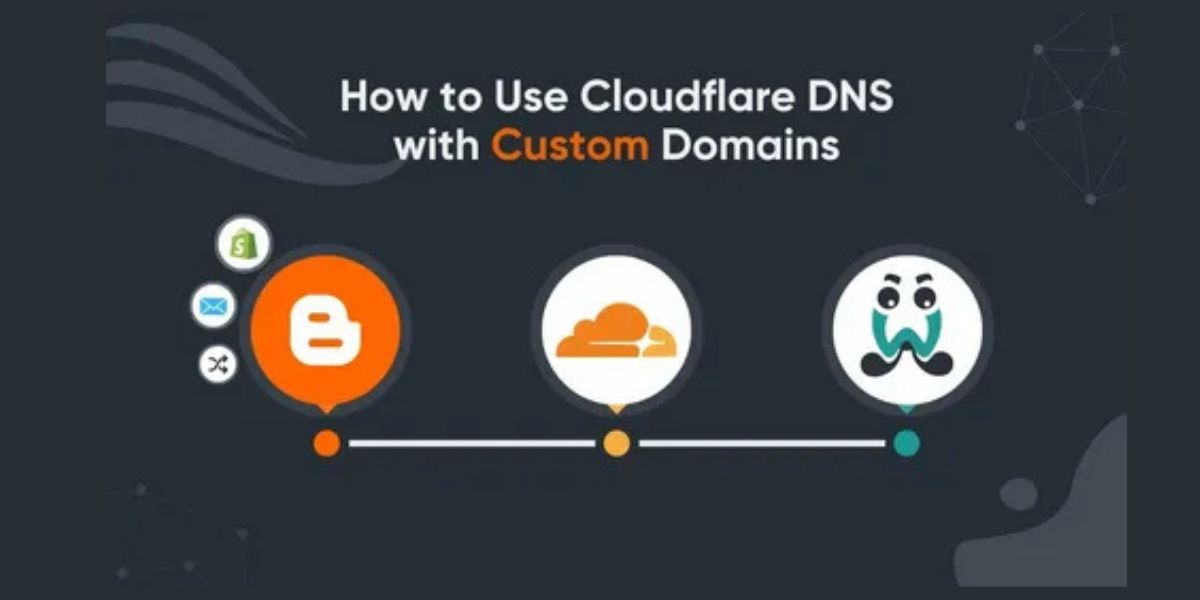
Practically, that framing matters because domain costs are long-tailed. A “cheap first year” is irrelevant if renewals spike or add-ons appear later. Cloudflare’s public positioning emphasizes no hidden fees and consistent renewal pricing tied to registry list prices, which shifts your planning from coupon-hunting to predictable budgeting.
Registrar vs DNS: Choosing the Right Setup
A domain has two main operational layers: the registrar (ownership, renewals, and registry interaction) and DNS (the records that route traffic for web, email, and services). You can use Cloudflare DNS without using Cloudflare Registrar, which is useful if you’re not ready to transfer ownership or if your organization already has registrar contracts and compliance processes.
However, if you want registrar-level benefits—like Cloudflare’s integrated registrar workflow and certain security defaults—you’ll be evaluating Cloudflare Registrar specifically. Understanding this split prevents a common mistake: assuming you must “move hosting” to Cloudflare to benefit from Cloudflare DNS. Hosting and registrar are independent choices; DNS is the connective tissue that can point to any hosting provider you choose.
At-Cost Pricing and the Real Total Cost of Ownership
Cloudflare describes its registrar model as “at-cost,” meaning Cloudflare does not mark up the wholesale price charged by registries plus ICANN fees. This matters most at renewal time, when many registrars increase the price or bundle paid add-ons that become operational defaults over time. Cloudflare’s own product positioning makes the “no markup, no surprise fees” message a centerpiece of the offer.
Total cost of ownership is more than the sticker price for a single domain. It includes renewal predictability, security incidents avoided, staff time spent on support tickets, and the ability to standardize DNS patterns across environments. In practice, teams choose Cloudflare not only to shave a few dollars off registration, but to reduce the “domain ops tax” that accumulates when multiple tools and processes fight each other across marketing, engineering, and security.
Supported TLDs and Policies That Affect Eligibility
Before you commit, you should confirm that your top-level domain (TLD) is supported. Cloudflare’s registrar documentation states it supports over 400 TLDs and points users to a TLD policies list for what is available and what is “coming soon.”
TLD support is not just a checkbox. Some TLDs have additional policy requirements, residency rules, or extra validation steps (a common example across the industry is country-specific requirements). If your brand strategy involves multiple ccTLDs, your best move is to validate support and any special requirements up front so you don’t discover constraints mid-launch, when marketing and legal timelines are already locked.
The Nameserver Requirement and What It Does Not Mean
Here’s the operational constraint that shapes everything: domains using Cloudflare Registrar must use Cloudflare for authoritative DNS on a primary (full) setup, which means using Cloudflare nameservers and not switching to another DNS provider while the domain remains at Cloudflare Registrar. This is explicitly stated in Cloudflare’s registrar transfer requirements.
What this does not mean is that you must host your website or email with Cloudflare. DNS is routing, not hosting. You can keep your origin on any web host, your email on Google Workspace or Microsoft 365, and your apps on any cloud provider. The nameserver requirement simply means Cloudflare is the source of truth for your DNS records, which is also why Cloudflare can make DNSSEC and other DNS-layer protections easier to operate.
Registering a New Domain: Workflow and Guardrails
Registering a new domain through Cloudflare is designed to be a dashboard-centric workflow: search availability, purchase, then manage DNS and security settings in the same interface. Cloudflare’s registrar overview emphasizes buy/renew at cost and integrates domain management with DNS and security tooling, which is one reason teams use it for new projects and product launches.
The guardrails you should apply are less about clicking buttons and more about governance. Decide who owns the domain (legal entity), who controls billing, and who holds the operational keys (MFA and change permissions). Many domain disasters aren’t hacks; they’re internal misunderstandings—an ex-contractor still has access, a finance card expires, or nobody notices auto-renew failed. A good registration workflow ends with ownership clarity and a tested recovery path.
Transferring an Existing Domain: Checklist Without the Guesswork
A transfer is usually the moment you consolidate risk. It’s also the moment where teams accidentally break production because DNS changes and registrar changes get conflated. Cloudflare’s documentation makes the key requirement explicit: to use Cloudflare Registrar, your domain must be onboarded to Cloudflare as authoritative DNS by updating nameservers to Cloudflare’s assigned nameservers.
The operational best practice is to separate concerns: stabilize DNS first (confirm records, confirm traffic, confirm email), then transfer registrar once you’ve observed steady state. This reduces the “two moving parts” problem, where you can’t easily attribute an outage to DNS record changes versus registrar transfer timing. When done cleanly, transfer becomes a billing and security upgrade rather than a risky infrastructure change.
Renewals, Auto-Renew, and Expiration Risk
Cloudflare Registrar enrolls domains in auto-renew by default and states that renewals occur at the list price set by the registry, rather than a registrar markup or inflated renewal. That simple policy matters because domain expiration is one of the most avoidable—and most damaging—failure modes in the web stack.
Your renewal strategy should assume failure will happen at least once: payment methods expire, cards get flagged, invoices route to the wrong mailbox, or corporate procurement changes. The mature approach is layered: auto-renew enabled, reliable billing contacts, plus calendar reminders and periodic audits of “critical domains” that are tied to login, email, and production traffic. A domain is not a yearly purchase; it’s a permanent asset that deserves a recurring operational routine.
WHOIS Redaction and Privacy Expectations
Cloudflare Registrar provides WHOIS personal data redaction where permitted by the registry, and its documentation is explicit that redaction depends on registry policies. That’s an important nuance because “privacy” is not uniform across TLDs, and some registries expose different fields than others.
For teams, WHOIS redaction is less about secrecy and more about reducing low-effort social engineering. Public domain contact data can become a targeting surface for phishing, “renewal scam” invoices, and impersonation attempts aimed at support teams. The right expectation is: redaction lowers exposure, but it doesn’t replace strong account security, clear domain ownership records, and a documented approval process for domain changes.
DNSSEC in Plain English and When to Enable It
DNSSEC (Domain Name System Security Extensions) adds cryptographic signatures that help validate DNS responses and reduce certain “on-path” tampering risks. Cloudflare’s registrar documentation positions DNSSEC as a free, one-click option for customers using Cloudflare Registrar, which lowers the operational barrier that historically kept DNSSEC adoption inconsistent.
The practical decision is straightforward for most brands: enable DNSSEC when you can, especially for domains that handle authentication flows, payment funnels, or high-trust traffic. Where teams should be careful is during migrations: DNSSEC introduces DS record considerations, and if you’re not using Cloudflare as registrar, you’ll manage DS records at your external registrar based on Cloudflare’s DNSSEC values. Cloudflare provides DNSSEC guidance for both registrar and DNS contexts, which is useful when your stack is split.
Account Security: Locks, MFA, and Change Control
Domains are high-value targets because controlling a domain can enable email interception, credential capture, or traffic redirection. Cloudflare frames registrar security features around preventing hijacking and includes capabilities like DNSSEC and, for certain contexts, higher-assurance controls such as out-of-band verification and registry lock mechanisms via enterprise-focused protections.
Regardless of plan, your baseline posture should include multi-factor authentication, minimal admin accounts, and clearly logged change control. Mature teams treat domain changes like production changes: no ad-hoc modifications in a chat thread, no “temporary” exceptions that become permanent, and no shared credentials. The win isn’t just security; it’s incident response. When something goes wrong, you need to know who changed what, when, and why—fast.
DNS Management Patterns: A, AAAA, CNAME, MX, and Subdomains
Good DNS management is consistency plus documentation. For web traffic, your A/AAAA records map the apex or subdomain to an IP, while CNAME records typically map a subdomain to another hostname. For operational clarity, teams often separate concerns: “www” for the main site, “api” for APIs, “app” for application surfaces, and “status” for incident pages, each with clearly owned records and environments.
Subdomains become more important as you scale. Marketing wants campaign-specific hosts, engineering wants sandbox environments, and security wants clear boundaries for cookies and authentication. The most common DNS failure at scale is not complexity—it’s drift: different teams create slightly different patterns, then forget which record is canonical. The fix is to standardize naming and enforce review for changes that affect production authentication, email, or user-facing traffic.
Performance Layer: Proxying, Caching, and SSL/TLS
Cloudflare is known for its reverse proxy and edge network, and that becomes relevant once DNS points traffic through Cloudflare. When you enable proxying (often described as the “orange cloud” in Cloudflare’s UI), you’re not just resolving a hostname—you’re routing requests through Cloudflare’s edge, where caching, TLS termination, and security controls can reduce origin load and improve performance. This is where domain operations and performance engineering intersect.
The performance win is not automatic; it’s configuration-driven. You need to be deliberate about what you cache, how you handle cookies and dynamic content, and how you structure TLS modes to avoid origin misconfigurations. Done well, you get a more resilient web surface with better latency and a larger toolkit for mitigating attacks. Done poorly, you can accidentally cache personalized pages or mis-handle redirects. Your DNS and edge configuration should be treated as part of your release engineering discipline.
Email and SaaS: MX Records, SPF/DKIM/DMARC, and Common Pitfalls
Email is where domain mistakes get expensive fast. MX records point mail delivery to your email provider, and SPF/DKIM/DMARC control authentication and deliverability. The most frequent “domain broke my email” incident happens when teams transfer a domain, overwrite DNS records, or forget to replicate provider-specific TXT records. That’s why email validation should be a mandatory step in any DNS migration runbook.
SaaS adds another layer: verification tokens, custom domain mappings, and CNAME-based routing for services like help desks, marketing automation, or storefronts. These often come with strict TTL expectations and “one wrong character breaks verification” behavior. The clean operating model is to store a domain inventory—what service owns each record, what it does, and who approves changes—so you’re not rediscovering your own DNS every time you rotate vendors or update tooling.
Multi-Domain Operations for Agencies and Growth Teams
Agencies, affiliates, and growth teams often manage dozens—or hundreds—of domains for campaigns, regionals, and brand protection. The operational challenge isn’t registering domains; it’s controlling sprawl and ensuring that a single mistake doesn’t cascade across client properties. This is where disciplined account boundaries, access control, and repeatable DNS templates matter more than any single registrar feature.
If you’re running a portfolio, treat domains like a product surface: categorize them (primary brand, campaign, defensive registrations), define lifecycle rules (when to renew, when to drop), and create a minimal “golden DNS” baseline. The best agencies also build exit hygiene into the process: if a client leaves, ownership transfer and record export are clean and documented. That reduces disputes and protects your reputation as much as it protects uptime.
Automation and the Cloudflare API for Domain Operations
At small scale, clicking in dashboards is fine. At portfolio scale, it becomes a reliability risk. Automation can standardize TTLs, enforce record naming conventions, and reduce human error when rolling out new subdomains or verifying SaaS services. Cloudflare’s platform is widely used via APIs across DNS and account management, and the registrar side is documented in the Cloudflare developer docs ecosystem, which signals that Cloudflare expects serious teams to build repeatable workflows.
The key is governance: automation should encode policy, not bypass it. For example, you can require approvals for production zone changes, log every modification, and keep a “desired state” for DNS that can be audited. This is how you turn domain operations into infrastructure-as-code: fewer surprises, faster onboarding, and a clearer story when something breaks. Even if you never write a line of code, thinking in “repeatable states” improves how you manage critical internet identity assets.
Troubleshooting: Propagation, Misroutes, and Common Errors
Most domain problems look like “the site is down,” but the causes are usually predictable: nameservers weren’t updated correctly, DNS records were copied with mistakes, or proxying changed behavior (such as TLS expectations) without a corresponding origin configuration change. Cloudflare’s DNS setup documentation emphasizes that a full (primary) setup means Cloudflare is authoritative for DNS, so if your nameserver state is wrong, everything downstream becomes unreliable.
When troubleshooting, isolate variables. Confirm authoritative nameservers first, then validate DNS records, then test origin reachability, and only then evaluate caching or WAF behavior. Teams often waste hours investigating application code when the real issue is a missing A record or a mis-typed MX host. The fastest teams treat DNS checks as a standard incident step, not an afterthought, because DNS is the first dependency every request touches.
SEO and Analytics Implications of DNS and Edge Changes
From an SEO perspective, domains and DNS are foundational but indirect. Google doesn’t “rank your registrar.” What matters is uptime, page speed, correct redirects, consistent canonicalization, and stable crawling surfaces. Domain changes can influence all of those: if you accidentally create redirect chains, expose inconsistent HTTP/HTTPS behavior, or break “www to apex” patterns, you create crawl inefficiency and potential index fragmentation.
Edge configuration can also affect analytics and attribution. Caching rules, bot protections, and script-loading behavior can change how tracking pixels fire. The right approach is to treat any major DNS or edge change like a release: have a rollback plan, validate Search Console coverage, check log patterns for spikes in 4xx/5xx, and ensure your redirects preserve UTM parameters and campaign tracking. Domains feel “simple,” but search and analytics systems are sensitive to the small stuff.
When Cloudflare Domains Is Not the Best Fit
There are valid cases where Cloudflare Registrar is not the right choice. If you have contractual registrar requirements, a need to delegate authoritative DNS to a specialized internal DNS platform, or a compliance posture that mandates a different registrar workflow, you may prefer to keep registrar ownership elsewhere and still use Cloudflare for DNS or edge services where allowed.
Also consider organizational realities: if your team cannot commit to keeping Cloudflare as authoritative DNS, Cloudflare Registrar will be a poor fit because that’s a required condition of using it. In that scenario, you’re better off using an alternative registrar and onboarding Cloudflare in a partial way, rather than forcing a setup that will conflict with internal policies and create churn later.
Cloudflare Domains Best Practices Checklist
A strong domain posture is mostly process. Use a dedicated billing method for critical domains, enable auto-renew, enforce MFA on all privileged accounts, and keep a documented list of “must not expire” domains tied to login, email, and production traffic. Cloudflare’s registrar docs highlight defaults like auto-renew behavior and WHOIS redaction, but your operational discipline is what turns defaults into reliability.
For security, treat nameserver changes and registrar transfers as privileged operations, validate DNSSEC where appropriate, and maintain recovery documentation that doesn’t live only in one person’s head. For delivery, standardize DNS record patterns, create clear ownership for SaaS verification records, and include DNS validation in launch checklists. Domain work is rarely “hard,” but it is frequently “high impact,” which is why checklists outperform heroics over time.
Conclusion
The best way to think about cloudflare domains is not as a shopping decision, but as an operations decision. Cloudflare’s model—at-cost registration paired with authoritative DNS, WHOIS redaction where permitted, and simplified DNSSEC activation—reduces both pricing surprises and security friction when you commit to the platform’s intended setup.
If you’re running a serious website, brand, or product, the domain is the root of trust. The winning play is to pick a model you can sustain: predictable renewals, strong access control, clean DNS hygiene, and documented ownership. When those basics are strong, everything else—performance, security, marketing launches, and migrations—gets easier to execute without drama.
FAQs
The questions below focus on what people actually need when they’re making registrar and DNS decisions: what’s required, what’s optional, what’s risky, and what’s worth automating. Use them as quick answers, then refer back to the relevant sections when you’re planning a migration or building a portfolio process.
When you’re comparing options, remember that “registrar choice” and “DNS choice” are separable decisions. You can adopt Cloudflare DNS without Cloudflare Registrar, and you can choose Cloudflare Registrar if you’re comfortable keeping Cloudflare as authoritative DNS.
Is Cloudflare a domain registrar or just DNS?
Cloudflare is a domain registrar through Cloudflare Registrar, and it also provides authoritative DNS; you can use either independently depending on your setup goals.
Do Cloudflare Registrar users have to use Cloudflare nameservers?
Yes—Cloudflare states that domains using its registrar must use Cloudflare for authoritative DNS on a primary (full) setup, meaning you can’t switch to another DNS provider while registered there.
Does Cloudflare charge markup or “first-year promo then higher renewal” pricing?
Cloudflare describes Cloudflare Registrar pricing as at-cost with no markup, meaning you pay the registry and ICANN fees rather than inflated renewal pricing from Cloudflare.
Does Cloudflare offer WHOIS privacy?
Cloudflare Registrar provides WHOIS personal data redaction where permitted by the registry, which reduces exposure of contact data depending on the TLD’s policy.
Is DNSSEC available with Cloudflare Registrar, and is it hard to enable?
Cloudflare Registrar offers one-click DNSSEC activation for free, making it easier to deploy DNSSEC compared with many manual registrar workflows.
How should I think about cloudflare domains for a business with multiple brands?
For cloudflare domains, the scalable approach is to standardize DNS patterns, enforce strict access control and MFA, keep a clear domain inventory, and treat renewals and change approvals as recurring operational processes.